
How I use Neovim and why I prefer it over any IDE
Neovim, a tool created in 2015, is the evolution of vim which itself is an evolution from vi. Why do people use a TUI and is it actually any good?
Alright alright, maybe we need a bit more information to understand my love for neovim, so I'm gonna give you that.
Not only will you understand how I came to TUI programs in general, you'll also learn about my current setup and my workflow.
If you are only interested in one of those things, here's a table of content:
- What is a TUI
- My way to TUI setups
- Improving your workflow with a terminal-multiplexer
- TUI based programs I use on a daily basis
- What is neovim and why you can use a text-editor as an IDE
- The wide ecosystem of plugins and themes in neovim
- My setup
- Why I love working with neovim
- Downsides
- Some final words
Alright, now that you know the topic of each "Chapter", let's dive in!
What is a TUI
Before we can even start we need to clarify the term TUI.
There are a few abbreviations here. We have a UI, a TUI and a GUI.
Those are probably the most important terms here.
UI simply stands for user interface. Meaning something the user can see and interact with.
A TUI is a terminal user interface, also called text-based user interface. Basically something that is displayed in your terminal.
A GUI on the other hand is a graphical user interface. Think of a browser for example, or even just GNOME.
Those are GUIs.
My way to TUI setups
When I first started using Linux as a Windows user, I was scared of the terminal because I didn't want to learn any commands. I liked clicking on things until they did what I wanted them to do.
I started with Ubuntu like most linux users. Then came debian and Kali.
All of them for a very short time because I was unhappy with them.
A friend of mine used Arch at the time, which is know to be extremly hard to learn and mostly used via terminal.
I remember just thinking "fuck it, how hard can it be".
But oh boy was I naive.
First time installing (manually of course) took me like 5 hours since I fucked up a lot and had to reboot to start again.
I just blindly copied commands hoping they'd help.
At some point I managed to have a working installation, but nothing more.
By recommendation I tried using dwl, which was horror for me.
I never looked at the shortcuts or the config files and was now stuck in something I didn't know anything about.
When I figured out how to open a terminal, I just opened all my programs in said terminals, which is incredibly stupid.
Fast forward, I got my hands on Hyprland and was like "Wow that's beautiful" and wanted to learn more about it.
After RTFM I got used to it over time, but my connection about "Just do it via terminal" stayed.
I started learning commands, basic linux ones, ssh, git and so on.
Over time, I just wanted to use the terminal as much as I can.
Neovim was recommended by the friend I mentioned and it felt like hell.
After finally learning a few commands to get my way with linux, I now was stuck again in a window and couldn't figure out how to do shit, just like I had problems with dwl.
Like every normal person I then checked out some videos about it and was like "hmm, that's actually really cool".
To this day I don't even know half of its keyboard shortcuts but day for day I learn a tiny bit more and my workflow has improved by so much.
Another thing to note is that hate needing to install one program for every goddamn use case I have and at the end having 10 different tools open just so I can do what I want.
So TUI based programs are great for that. It's easy to navigate, and I just have to have one terminal open and that's it.
Improving your workflow with a terminal-multiplexer
Only recently I tried using a terminal-multiplexer.
I often heard about TMUX and such, but never bothered to try.
When I heard that kitty has split screens and tabs, I switched back to it and was like "Why should I install another tool when a terminal already has it in it?".
So I tried to use kitty for a while and it worked alright.
My problem was that when I close it accidentally, all of what I had was gone.
After watching a video about herdr as a tmux replacement from the DevOps Toolbox, I was catched!
Written in rust, easy to configure and it has sessions???
This sounded insane to me and I just HAD to try it.
With the help of AI, I installed a few plugins and pretty much got my whole kitty shortcuts into it.
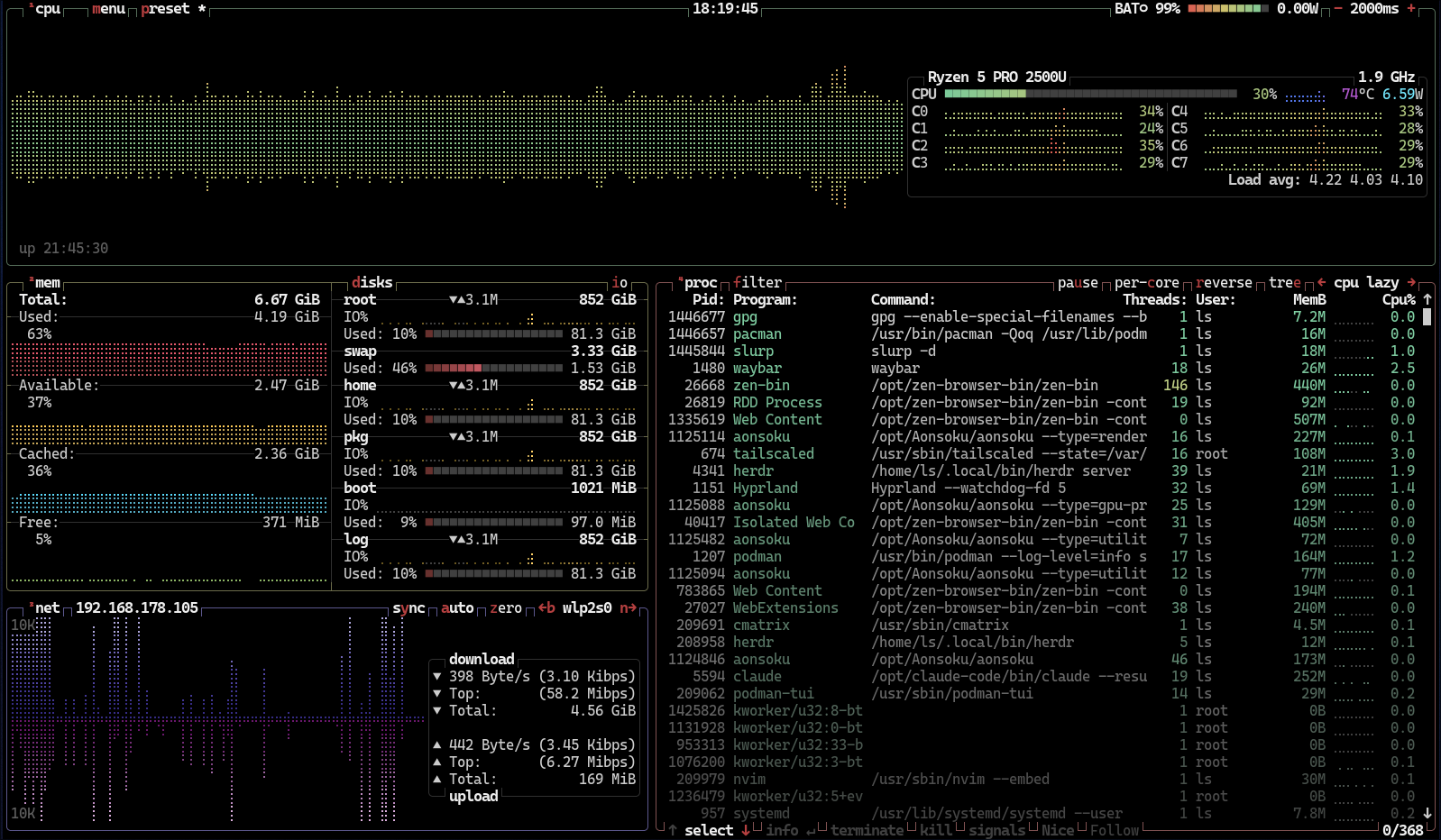
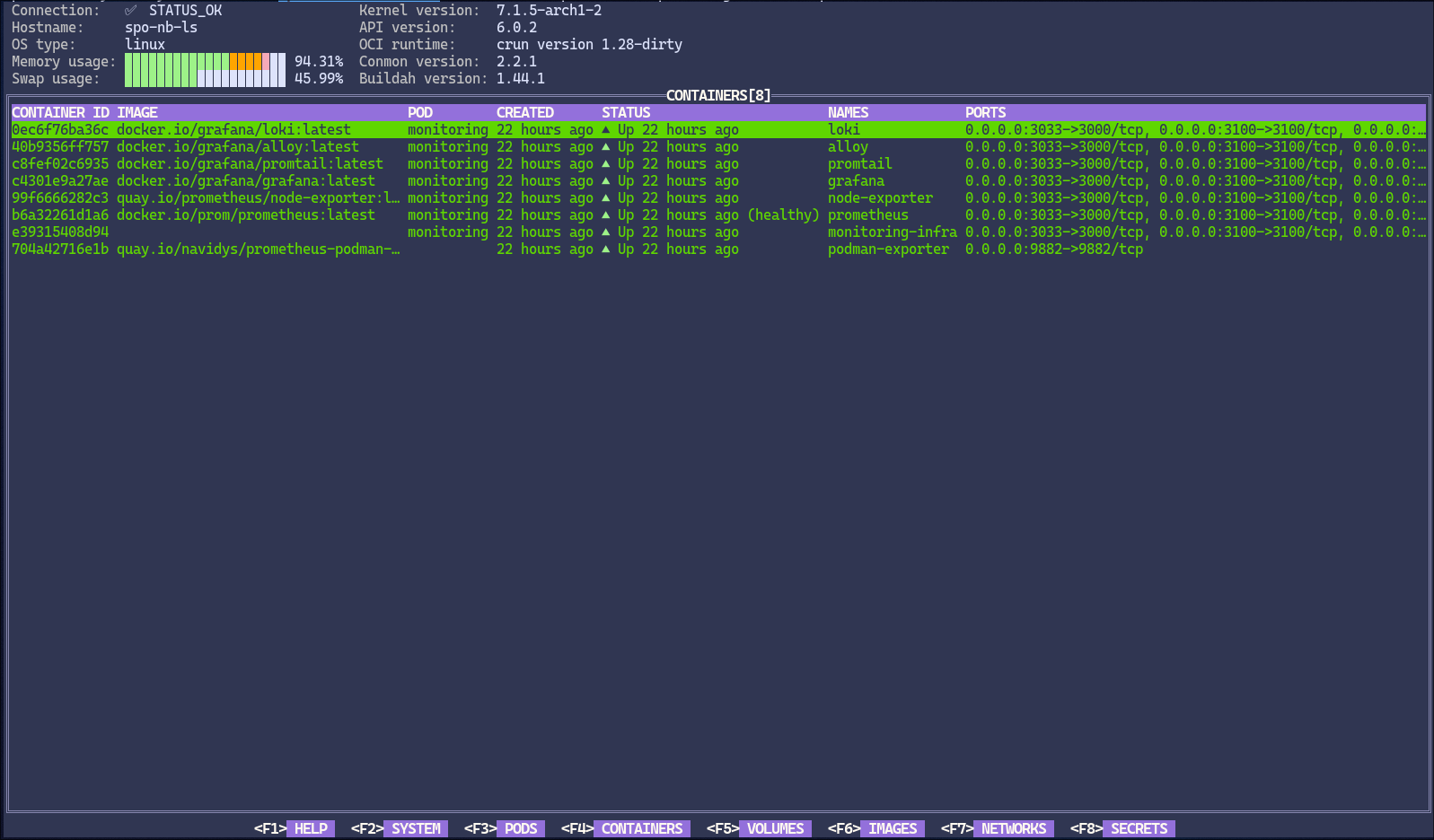
This is how herdr currently starts in my setup:
Tab 1: Productivity
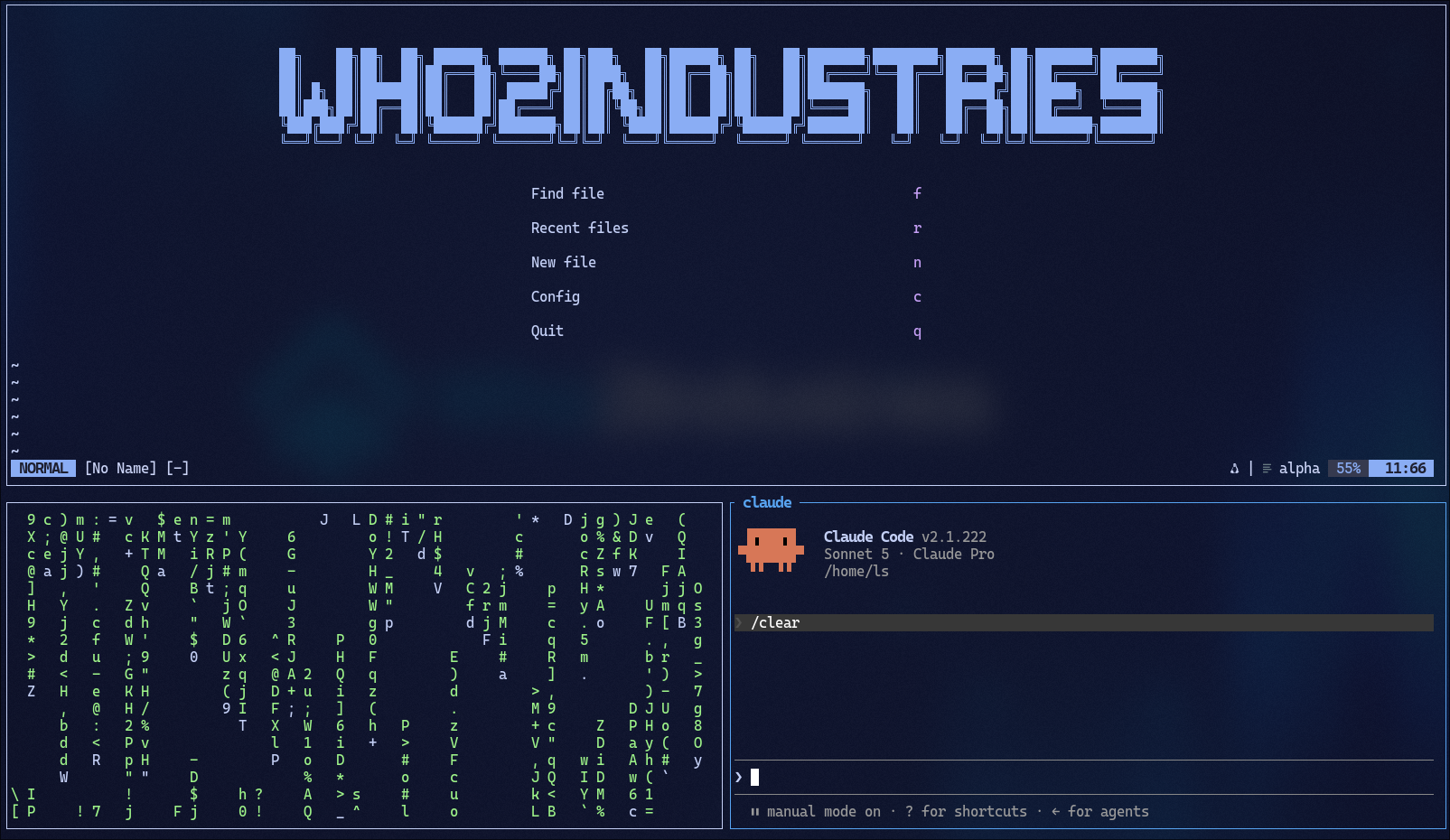
Tab 2: systemd-stats
Tab 3: podman-dashboard
Tab 4: terminal
At the moment of writing this, I have some more tabs open that I created, here's a full screentshot so you can see how herdr looks like:
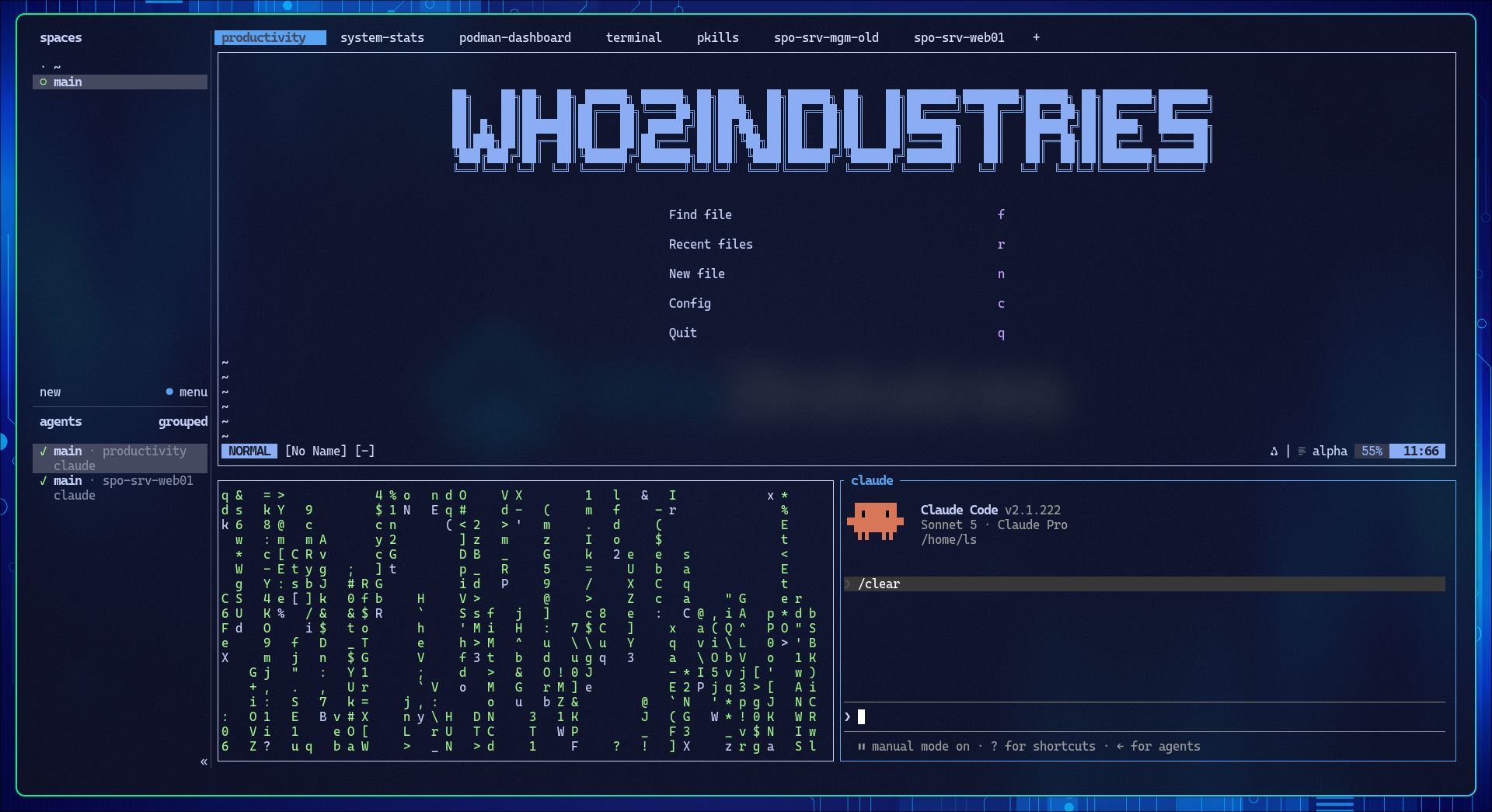
I also changed some shortcuts like creating a new tab, splitting screens and so on.
Fun fact, I switched terminals a lot of times in the past, but the first one I ever had and the one I still use today is foot.
It's a great tool that I recommend to everyone.
Now I don't need to open a new terminal for every task I have and can better do multitasking. It makes life just so much easier and that I can close it and commands I didn't check which were still running remain active saved me lots of time already.
The dotfiles for this are not yet public, but I plan to release them in the span of next week.
TUI based programs I use on a daily basis
'll be honest with you, the TUIs I use the most are probably Neovim and Claude Code (an AI-powered CLI development tool). As you saw in the previous chapter, I also keep btop and podman-tui running, though those are mostly for a quick glance rather than active use.
One tool I reach for constantly is lf, a terminal-based file manager. If you've never used one, it sounds redundant—until you try navigating nested directories with keyboard shortcuts instead of typing out full paths every time. It just clicks.
On the visual side, things like cava (a terminal audio visualizer) and cmatrix are my top picks when I want the workspace to look alive. Pure eye candy, but it matters.
I used to use ncmpcpp for music, but nowadays I self-host Navidrome on my NAS and stream through Aonsoku, a GUI client. Sometimes a GUI simply does the job better—and in this case, having a proper music library browser outweighs the terminal purism.
What is neovim and why you can use a text-editor as an IDE
As mentioned earlier, Neovim is essentially the successor to Vim, which itself was the successor to vi. It's a highly customizable, TUI-based text editor that can be transformed into a powerful IDE with just a few plugins.
Its codebase is around 30% smaller than Vim's, yet it offers significantly more flexibility. While it's fully compatible with Vimscript, the modern—and recommended—way to configure Neovim and install plugins is via Lua. Unlike Vimscript, Lua is a proper, lightweight programming language that enables faster configuration parsing and gives plugin authors a far more robust ecosystem to work with. The result is a whole new generation of plugins that simply wouldn't have been practical in Vimscript—more on that later.
But what really makes Neovim viable as a full-blown IDE replacement isn't just the plugin ecosystem—it's what's built into the editor itself. Neovim ships with a built-in LSP client, meaning you get language server-powered autocompletion, go-to-definition, hover documentation, and diagnostics right out of the box. On top of that, its asynchronous job control lets you run linters, formatters, and long-running tasks in the background without ever freezing your editor. Combine these with a handful of well-chosen plugins, and you'll have a setup that rivals VS Code—without leaving your terminal.
The wide ecosystem of plugins and themes in neovim
By far the two best ways to find plugins are: a) just search the web for what you need. Something like "markdown neovim plugin" usually gets you there immediately, or b) use the official Neovimcraft website. Just search for what you need, or if you're unsure, browse the categories on the left side.
I promise there's a plugin for everything you could ask for. Markdown? There. AI integration? There. File explorer? Also there. If you think something is missing, someone else probably thought so too and just created that missing piece. Right now, there are over 1,300 plugins listed on Neovimcraft alone.
And if you're feeling overwhelmed by the options, just steal someone else's dotfiles and you're good to go. There are also full Neovim distributions that handle everything for you—the most popular ones being NvChad, LazyVim, and AstroNvim. They ship with a clean UI, sensible defaults, and features like autocompletion and syntax highlighting right out of the box, so you can skip the rabbit hole entirely if you want to.
My setup
Just from the start I want to say, don't be like me.
I've added a lot of plugins which I thought would be cool to have.
But in reality, most of what I have is rarely used.
But, for transparency, I will still show all of them to you but at the end note the ones I use the most.
One thing to mention is, that at the beginning I just threw everything in one .lua file, which was a mess to navigate.
Now I do it the "best-practice" way.
Meaning in my init.lua, there are only some requires stuff in there.
Then I have a directory called lua in which there are the dirs config and plugins.
Here's the output of ls command for both of those dirs:
╭───┬─────────────────────────┬──────┬────────┬──────────────╮
│ # │          name           │ type │  size  │   modified   │
├───┼─────────────────────────┼──────┼────────┼──────────────┤
│ 0 │ lua/config/autocmds.lua │ file │  260 B │ 2 months ago │
│ 1 │ lua/config/keymaps.lua  │ file │ 2.8 kB │ 2 months ago │
│ 2 │ lua/config/lazy.lua     │ file │  358 B │ 2 months ago │
│ 3 │ lua/config/options.lua  │ file │  329 B │ 2 months ago │
╰───┴─────────────────────────┴──────┴────────┴──────────────╯
╭────┬───────────────────────────────┬──────┬────────┬──────────────╮
│  # │             name              │ type │  size  │   modified   │
├────┼───────────────────────────────┼──────┼────────┼──────────────┤
│  0 │ lua/plugins/alpha.lua         │ file │ 1.0 kB │ 2 months ago │
│  1 │ lua/plugins/catppuccion.lua   │ file │  729 B │ 2 months ago │
│  2 │ lua/plugins/claudecode.lua    │ file │   97 B │ 2 months ago │
│  3 │ lua/plugins/cmp.lua           │ file │ 1.0 kB │ 2 months ago │
│  4 │ lua/plugins/codecompanion.lua │ file │  397 B │ 2 months ago │
│  5 │ lua/plugins/gitsigns.lua      │ file │  272 B │ 2 months ago │
│  6 │ lua/plugins/lsp.lua           │ file │ 1.5 kB │ 2 months ago │
│  7 │ lua/plugins/lualine.lua       │ file │  253 B │ a month ago  │
│  8 │ lua/plugins/misc.lua          │ file │  295 B │ 2 months ago │
│  9 │ lua/plugins/neogit.lua        │ file │  345 B │ 2 months ago │
│ 10 │ lua/plugins/noice.lua         │ file │  601 B │ 2 months ago │
│ 11 │ lua/plugins/nvimtree.lua      │ file │  297 B │ 2 months ago │
│ 12 │ lua/plugins/remote-sshfs.lua  │ file │  244 B │ 2 months ago │
│ 13 │ lua/plugins/snacks.lua        │ file │   34 B │ 2 months ago │
│ 14 │ lua/plugins/tabby.lua         │ file │  485 B │ 2 months ago │
│ 15 │ lua/plugins/telescope.lua     │ file │  331 B │ 2 months ago │
│ 16 │ lua/plugins/treesitter.lua    │ file │  280 B │ 2 months ago │
╰────┴───────────────────────────────┴──────┴────────┴──────────────╯
You can see a clear strucutre here, which makes troubleshooting much easier.
Neogit is probably THE most plugin I have.
It's been quite some time since I used the git command in the terminal thanks to this.
It just makes things easier. Tho the most important thing for me with this plugin is, that I now don't need to shift my focus away from neovim, since I have everything I need to push changes right here.
Why I love working with neovim
I don't think I need to explain much about why I love this program.
Sure, the learning curve is hard. But once you know the most important shortcuts (Which will be a topic in the next chapter) and have a few plugins ready, you're just blazing fast. No IDE can compet with that.
Some try like Zed by adding vim controls, and they work alright, but I don't need most of the stuff in zed which slows the process down for me.
I much rather have a custom setup where the things I have are the things I need and nothing more.
Downsides
The only two downsides I can think of are, that there is no plug and play by default, and that the learning curve is quite hard.
Sure, you can use preconfigured setups, but even those you need to learn to take advantage of.
And the shortcuts are a lot. But while knowing that, i would recommend this tools to almost everyone because you get your time-investment back as soon as you are familiar with them.
Some final words
Pfewh, that was a lot.
I'll be honest, I took more then just one smoking break.
I hopy you have enjoyed this journey into my geeky world.
Maybe you learned something new, that would be awesome for me.
And even if not, I hope you don't regret clicking on this post :)
Anyway, blog posts should now come out every one to two weeks again and I have a LOT to tell you.
Until then, remember... Stay private. Stay root.